


USB Charger Hidden Spy Camera with Built-In DVR – 1920x1080p HD, 30FPS, Motion Activated or Loop Recording, 32GB Micro SD Card Included, Nanny Cam or Office Security, Windows/Mac/Linux Compatible
$49.95
Buy with Confidence
Covered by a 30-Day Money Back Guarantee. If it's not right for you, returns are easy and hassle-free.

Secure checkout • 100% Satisfaction Guaranteed • 30 Day Money Back Guarantee • Easy Returns • Fast Customer Support
Looks exactly like a USB wall adapter — because it is one. Plugs into any standard outlet, blends in with every other charger in the room, and records 1080p video the whole time. Good option if you want to know what's happening in a room without it being obvious there's a camera.
- 1920x1080p at 30fps — clear, usable footage, not grainy low-resolution video
- Motion-activated or continuous loop recording — your choice depending on the situation
- 32GB micro SD card included — stores up to 7 hours of footage before looping
- Works as an actual USB charger — nothing about it looks out of place
- Compatible with Windows, Mac, and Linux — micro SD card reader included for easy viewing
The Camera Nobody Looks For
Hidden cameras work best when they look like something else entirely. A USB wall adapter is about as unremarkable as it gets — every home, office, and hotel room has several of them. This one records 1080p video while sitting in an outlet doing what it looks like it’s supposed to do.
Setup is about as simple as it gets. Plug it in, insert the SD card, and it starts recording. No app to configure, no Wi-Fi to set up, no account to create. The footage goes to the card and you pull it when you need it.
Who This Hidden Camera Is For
Parents who use in-home childcare are the obvious use case. A USB charger on a shelf or plugged into a wall outlet in a common area doesn’t require any explanation and doesn’t announce itself the way a visible camera does. You can check what happened during the day without anyone having been aware of it.
Small business owners and anyone who needs basic office security will find it equally useful. If something goes missing or you need to know what happened in a storage room or back office, a camera that looks like standard equipment is the practical choice.
It’s also handy for short-term situations — subletting your place, using a rental property, or monitoring a space while you’re traveling. No installation required, just an outlet.
Is This the Right Choice for You?
Choose the USB Charger Hidden Camera if you want:
- A camera that’s genuinely undetectable to casual observation
- Simple setup with no app, Wi-Fi, or account required
- Motion-activated recording to save storage space
- A portable solution you can move between rooms or locations
Consider something else if you need:
- Live remote viewing — this records to SD card only, no streaming
- Night vision or low-light capability
- Audio recording — video only
How It Actually Works
The camera is built into the housing of a functional USB wall adapter. From the outside, it looks and functions like a standard charger — the USB port works. The lens is integrated into the casing in a way that isn’t visible without close inspection.
Recording options are motion-activated or continuous loop. Motion-activated mode saves storage and battery drain — it only records when something moves in frame. Loop recording runs continuously and overwrites the oldest footage when the card fills up, so you always have the most recent 7 hours. The 32GB card and micro SD reader are included so you can get started immediately and pull footage directly to your computer.
Video is stored as AVI files in M-JPEG format at a 16:9 ratio, which plays back in standard media players on any major operating system. Dimensions are 1.2″ x 1.2″ x 2.1″ — about the size of a normal adapter.
Quick Comparison: How Does the USB Charger Cam Stack Up?
| Feature | USB Charger Cam | Visible Security Camera | Doorbell Camera | Clock Hidden Camera |
|---|---|---|---|---|
| Detectability | Very Low ✓ | High — visible | Obvious at entry | Low ✓ |
| Installation | None — plug in ✓ | Mounting required | Wiring required | None ✓ |
| Live Viewing | No — SD only | Yes ✓ | Yes ✓ | Some models ✓ |
| Power Required | AC outlet | AC or PoE | AC or battery | AC or battery |
| Portability | High ✓ | Low | Fixed | Moderate |
| Best For | Nanny cam, office | Perimeter security | Front entry monitoring | Indoor covert use |
Practical Details
Weighs 0.2 lbs. Dimensions: 1.2″ x 1.2″ x 2.1″. Records in 1920x1080p AVI format at 30fps. Powered by AC outlet. Includes 32GB micro SD card and micro SD card reader. Compatible with Windows 7/10/11, Mac OS, and Linux. 90-day warranty.
If you need a camera in a space where a visible camera isn’t practical, this one handles the job without drawing any attention to itself.
Frequently Asked Questions
Does the USB port actually work for charging?
Yes. The USB port is functional and will charge devices normally. That’s part of what makes it effective as a covert camera — it’s not just a prop. Plugging something into it doesn’t affect the recording function, and it behaves like any standard wall adapter to anyone who uses it.
How do you access the recorded footage?
Remove the micro SD card from the unit and insert it into the included micro SD card reader, then plug that into your computer’s USB port. The footage appears as standard AVI video files that open in any common media player. No special software required. The included reader works with Windows, Mac, and Linux systems.
What’s the difference between loop recording and motion-activated recording?
Loop recording runs continuously and overwrites the oldest footage when the 32GB card fills up — you always have the most recent footage stored, roughly 7 hours worth. Motion-activated recording only saves video when the camera detects movement in frame, which conserves storage space and makes it easier to find relevant clips. Which one you use depends on whether you want a complete record or just footage of activity.
Is there audio recording?
No, this unit records video only. If audio recording is important to your situation, you’d want to look at a different unit that includes a microphone. Worth noting that audio recording laws vary by state — some require all parties to consent to being recorded. Video-only recording generally has fewer legal complications, though it’s still worth understanding the rules in your area.
| Recording Mode | Loop or Motion Activated |
|---|---|
| Video Resolution | 1920 x 1080 |
| Video Format | AVI |
| Video Coding | M-JPEG |
| Video Ratio | 16:09 |
| FPS | 30 |
| Support system | Linux, Mac OS, Windows 7/10/11 |
| Color | Black |
| Included | Micro 32gb SD Card, Micro SD Card Reader |
| Warranty | 90 Days |
| Weight | 0.2 lbs |
| Dimensions | 1.2" x 1.2" x 2.1" |
Additional information
Related products
-
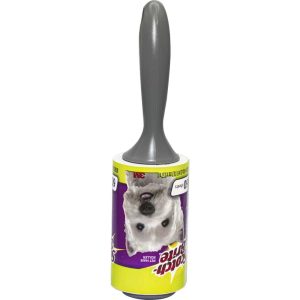
Lint Roller Diversion Safe – Realistic Hidden Compartment, Twist-Off Top, 1.5″ x 4.25″ Interior, 0.65 lbs, Conceals Valuables in Plain Sight at Home or Office
$14.95 Add to cart -

HD Eyeglasses Hidden Spy Camera with Built-In DVR – 1920x1080P, 30fps, 32GB Storage, Rechargeable, One-Button Operation, Includes Carrying Case and SD Card Reader
$59.95 Add to cart -

Mini Hidden Spy Camera with Built-In DVR – Motion Activated, 1080P HD, 32GB Micro SD Included, Pocket Clip and Wall Mount, Body-Worn or Fixed Use, 1″ Cube, 0.2 lbs
$29.95 Add to cart -

Thermometer Diversion Safe – Functional Outdoor Thermometer with Hidden 1 5/8″ x 7/8″ x 6″ Storage Compartment, 0.2 lbs, Indoor/Outdoor Use
$7.90 Add to cart
Reviews
There are no reviews yet.